
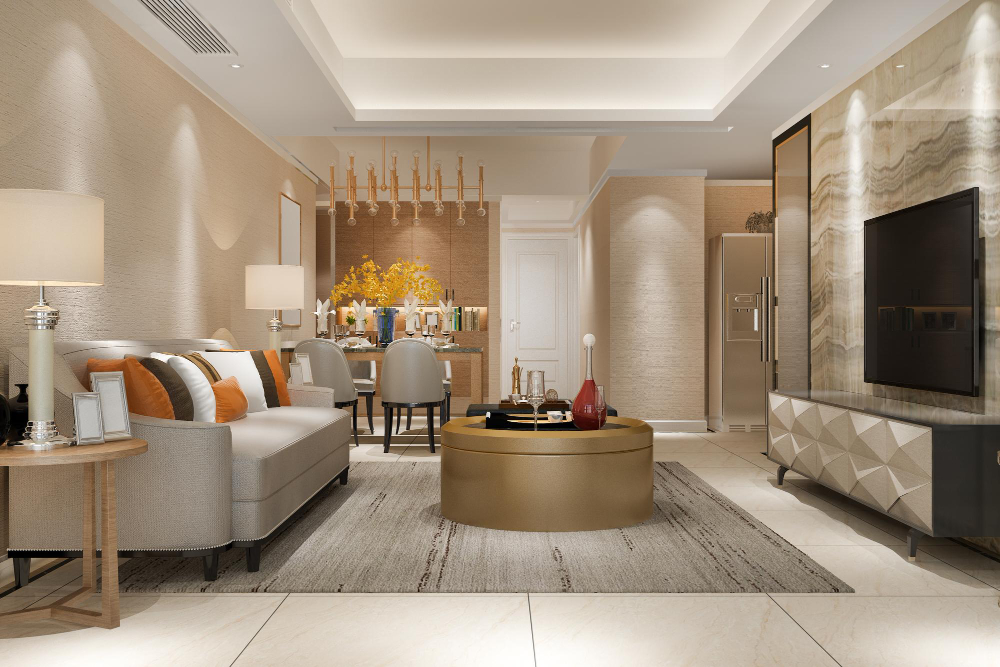
This blog reveals the professional workflows and asset strategies that allow studios to produce photorealistic 3D interior renders efficiently without rebuilding every project from zero. Covering reusable model libraries, lighting templates, PBR materials, and smart post-processing, it is a practical guide for designers and developers who want consistent quality at pace.
One of the most persistent myths in architectural visualisation is that every photorealistic 3D interior rendering project requires building a scene entirely from scratch. In reality, the studios that consistently deliver exceptional quality at pace are those that have invested in scalable, reusable workflows intelligent systems rooted in BIM modeling / digital workflow that allow them to start each new project further along the path to the final image, without sacrificing the bespoke quality that makes renders genuinely useful for sales, design, and planning. These efficiencies are often paired with immersive technologies like AR/VR virtual rendering and supported by high-end 3D architectural rendering services to streamline production without compromising realism.
Whether you are an architect exploring realistic interior visualization for the first time, or a developer who commissions renders regularly, understanding how professional studios approach this process helps you make better briefs, set more realistic expectations, and get superior results more efficiently. Here is what the best studios actually do and how you can apply the same principles to your own workflow.
Start with a Solid Base Model
The foundation of any efficient photorealistic 3D interior rendering workflow is a clean, accurately scaled architectural model. Whether built in SketchUp, Revit, Rhino, or 3ds Max, the base model needs to reflect real-world dimensions precisely. Errors at the modelling stage propagate through every subsequent step a wall that is 10cm out of scale will distort every furniture placement, ceiling height, and material proportion that follows.
Professional studios maintain a library of base room models living rooms, bedrooms, kitchens, bathrooms, office spaces at standard proportions that can be adapted to a specific project’s actual dimensions. This approach means the fundamental geometry of a new scene can be established in hours rather than days, with the project-specific customisation work concentrated on the elements that actually differentiate this space from the standard template.
Build and Maintain a Quality Asset Library
The single most powerful time-saving tool in realistic interior visualization is a well-curated, high-quality asset library. Furniture, light fittings, decorative objects, plants, soft furnishings, kitchen appliances every hero object in a render needs to be modelled to a standard that will hold up at final render resolution and close camera distance. Investing once in a high-quality sofa model pays dividends across dozens of subsequent projects.
The key principle is category depth: rather than having one sofa, a professional library contains sofas in a range of styles contemporary, transitional, traditional and in multiple colourway configurations. When a brief specifies a particular aesthetic direction, the right asset can be placed within minutes rather than custom-modelled from scratch. Commercial asset libraries from providers such as Evermotion, Kitbash3D, and Chaos Cosmos provide an excellent starting point, supplemented over time by bespoke models developed for recurring project types.
Use PBR Materials for Consistent Photorealism
Physically Based Rendering materials or PBR materials are the industry standard for achieving photorealistic 3D interior rendering because they simulate how surfaces actually interact with light. Rather than painting a flat colour onto a surface, PBR materials define the reflectivity, roughness, metalness, and micro-surface detail of a material in a way that responds correctly to any lighting condition.
Using a high-quality PBR material library means that when lighting conditions change different time of day, different room orientation, different scene mood the materials respond correctly and consistently without needing to be re-adjusted for each lighting scenario. This dramatically reduces the iteration time in later stages of the rendering workflow and is one of the key 3D rendering tips interior that separates professional output from amateur work.
Build Lighting Templates, Not Lighting from Scratch
Lighting is the single factor that most dramatically affects the quality and mood of an interior render and it is also the most time-consuming element to get right when built from scratch each time. Professional studios address this by developing and saving lighting rigs: tested, proven combinations of HDRI environment maps, interior artificial lights, and camera exposure settings that reliably produce a specific mood or time-of-day quality.
A library of five or six proven lighting rigs morning light, overcast day, late afternoon warmth, evening artificial, night luxury covers the vast majority of interior rendering scenarios. When a new brief specifies ‘warm and inviting, late afternoon,’ the relevant rig can be applied to the new scene immediately, with fine-tuning from there rather than construction from zero. This is one of the most practical 3D rendering tips interior professionals share when discussing workflow efficiency.
Camera Templates and Composition Rules
Camera position and lens choice have a profound effect on how a space reads. Professional studios develop standard camera positions for common room types the corner-to-corner view for living rooms that shows sofa, coffee table, and feature wall in a single frame; the three-quarters angle for kitchens that captures both the island and the run of cabinets; the full-width headboard view for bedrooms that frames the entire sleeping zone.
These camera templates can be dropped into a new model and adjusted for the specific proportions of each project, saving the trial-and-error of finding the right viewpoint from scratch every time. Consistent camera heights (typically around 1.2 metres for eye-level interior views) and focal lengths (24-35mm equivalent for most interior spaces) are particularly important for maintaining a professional, photographic quality across a portfolio of renders.
Smart Post-Processing Without Over-Processing
Post-processing in Photoshop, Lightroom, or a dedicated compositing tool is the final step that takes a technically correct render and makes it feel genuinely photographic. Colour grading, contrast adjustment, subtle lens vignette, depth of field, and the addition of atmospheric elements a breath of fog through a window, a warm bloom from a pendant light, the faint reflection of a rug in a polished floor are the finishing touches that elevate a good render to a great one.
The critical discipline is restraint. Over-processed renders have a characteristic saturated, HDR quality that reads immediately as computer-generated and undermines the photorealism that the render should be achieving. The goal of post-processing for realistic interior visualization is subtlety: adjustments that feel like the work of a skilled photographer, not the heavy hand of a digital filter.
Conclusion: Efficiency and Quality Are Not Opposites
The best photorealistic 3D interior rendering work is not slow because it is thorough it is fast because it is intelligent. Reusable base models, curated asset libraries, proven PBR material sets, tested lighting rigs, and saved camera templates are the infrastructure that allows professional studios to start each new project significantly closer to the finish line. The bespoke creative work the specific material palette, the lifestyle staging, the project narrative is concentrated where it genuinely matters, rather than being buried in the repetitive groundwork of building scenes from scratch every time.
For a deeper look at how interior visualisation supports design decisions and client presentations, explore our article on how high-quality interior visuals transform design presentations. To understand the full scope of how 3D rendering services work across project types, read our guide on 3D architectural rendering services. And if you are interested in how virtual tours extend interior visualisation into an interactive experience, see our piece on experiencing the 3D virtual tour of your home interior and exterior.